Intermedia VoIP Phone System
For Businesses in NJ

A Unified Platform Tailored for Modern Businesses

Transform Your Business Communication with Intermedia Unite
With AACOM’s expert installation and support, Intermedia Unite becomes more than just a phone system—it’s your all-in-one communication engine.

Unified Communication
Voice, video, chat, SMS, fax, and file-sharing tools within a seamless platform.

99.999% Uptime
Guaranteed and J.D. Power–certified 24/7 support.

Flexible Scaling
Cost-conscious pricing, starting as low as $20–30/user/month.

Compliance Built-in
Enterprise-grade security and compliance built in

Fast deployment
Via preconfigured hardware— and intuitive, user-friendly design
From setup to ongoing support, we’ve got you covered with rapid next-day system activations, hands-on guidance from dedicated implementation engineers, and instant, one-touch access to reliable U.S.-based technical support.
Find the Right Phone System for Your Business
- Deployment
- Unified Comms
- Customization
- Data Centers in U.S.
- Call Center Features
- Licensing Options
- Local Resellers
and Setup - Customer Support
- Email and Office
Bundling - Ideal for
-

- Cloud only
 Voice, chat, file sharing
- Admin tools
- Add-on
- Flexible user licensing
- LocalOnsite setup through AACOM
- 24/7 Local support through AACOM
- Exchange/Office 365
- Growing SMBs needing integrated services
-

- On-premise / cloud hybrid
- Native with MXIE/MXcloud
- Highly customizable
- Built-in, customizable
- Flexible user licensing
- LocalOnsite setup through AACOM
- 24/7 Local support through AACOM
- Exchange/Office 365
- SMBs w/ IT or
customization needs
-

- Cloud only
- Teams + Office 365
- Apps, bots, APIs
- Azure
- Add-on via partners
- Microsoft 365
seat-based plans - Varies by area
- Tiered support Through Microsoft 365
- Bundled with Office 365
- Mid-to-large enterprises and remote teams using Microsoft 365
-

- On-premise / cloud hybrid
- Limited
- Global / cloud mix
- Add-on
- Tiered plans
 Self-service
- Mixed / offshore
- Mid-size, simple remote teams
-

- Cloud only
- Limited
- Add-on
- Tiered plans
- Self-service
- 24/7 phone / chat support
- Global enterprises
-

- On-premise / cloud hybrid
- Limited
- Add-on
- Tiered plans
- Self-service
- Mixed
- Simple SMBs
-

- Cloud only
- Limited
- Mostly global
- Add-on
- Tiered plans
- Self-service
- Offshore
- Budget-conscious SMBs
-

- Cloud only
- Limited
- (uses Google Cloud)
- Add-on
- Per user, monthly plans
- Self-service
- Email/Chat + limited phone
- Tech-savvy users
Features Overview

Quality
- High Definition Audio
- Ultra-Elegant IP Phones
- 99.99% financially backed uptime service level agreement
Scalability
- Increase or decrease users easily and without penalty
- Easily add or remove upgraded features

Redundancy
- Hosted redundant data centers
- Mobile apps allow for seamless failover

Flexibility
- Standard IP phones work with most Hosted VoIP providers
- Simple or robust call flow options
- Users can use integrated desk phone, mobile app, and desktop app (or all 3!)

Savings
- Flat, per-user rate with unlimited local and long-distance calling
- Unified communications – integrated chat, video conferencing, screen sharing, and file collaboration included with users
- Included free Spam Caller Protection
Elevate Your Business
Empower your team with tools designed to boost productivity, streamline communication, and drive growth.

Desktop App
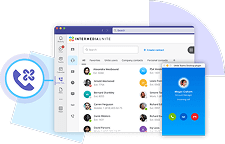
The free Intermedia Unite Desktop App brings essential collaboration tools together, making teamwork easier than ever. Users can see who is available, send chats and text messages, place and receive calls, share screens, start video calls and share files—all from one application. Available as a downloadable app for PC or Mac®.

Mobile App
The Unite mobile application transforms the user’s mobile phone into an essential collaboration tool for on-the-go productivity. Android and iOS users can place and receive calls, see who is available, send chats and text messages, sync contacts from their mobile device and manage voicemails all from one application—anytime, anywhere.

Video Conferencing & Screen Sharing
Use HD video conferencing to organize face to face meetings which helps to eliminate unnecessary travel and empowers teams with remote members to be more productive. Screen share online with the computer desktop which can be shared with team members or externally, in real-time, improving collaboration and speed of decision making.

Unified Communications
Intermedia Unite combines your phone system, chat, video, screen sharing, file management and conference calling into a seamless experience that fits with your business size, needs, and work style. Get customizable, scalable cloud- based services for your business backed by Intermedia’s Worry-Free Experience™.

PBX Phone System
PBX phone system is a cloud-based phone system with an integrated combination of 90+ enterprise- grade features along with industry- leading network call quality and uptime. System management and call reporting features are handled from a single web-based portal.

Team Chat and Business SMS
With the Intermedia Unite Desktop and Mobile Apps, team members can send and receive chat messages and attachments (both individual and group chats) and send and receive text messages to colleagues and customers. All chat and Business SMS messages are instantly synchronized across all devices. Users can pin favorites to the top of their contact list and access full contact chat history at any time.

UNLIMITED CALLING
No per-minute charges or limits when you place calls in the contiguous 48 states

UNLIMITED FAXING
Send unlimited faxes instantly from your email, or PC applications without tying up your phone line

INTERMEDIA UNITE APP
Stay connected to customers, employees, and partners with unified communication and collaboration services that support mobile and remote workforces

NUMBER PORTABILITY
Keep your current phone numbers and simply transfer them to your Intermedia Office plan

AUTO ATTENDANT
Instant automated greeting that lets callers choose the person or department they are trying to reach

INTERMEDIA ANYWHERE
Answer calls on your desk phone, mobile app, or desktop app. Easily swap calls between devices to continue your call.

HD VOICE QUALITY
Eliminate static and service degradation with HD voice quality; it’s like you’re in the same room as the caller

UNIFIED COMMUNICATIONS
Combine voice, video, mobile and file collaboration in one unified communications system

RECEPTIONIST
Give your front office personnel instant and complete visibility into who is available, on the phone, or busy with the receptionist call console. View the availability of everyone in your organization, perform blind transfers, warm transfers, and transfers to voicemail.

CALL QUEUING
Organize employees, teams, and departments into queues so that callers will be routed to the next available company representative in the selected queue

INTEGRATIONS
Software integrations for your unified communications system to connect directly with various mail and CRM clients

VOICEMAIL TO EMAIL
Voicemails are emailed and transcribed to your email account, so you can review voicemails from anywhere

INSTANT CONFERENCING
Use HD video conferencing to organnize face-to-face meetings

CONFERENCE BRIDGE
Schedule and moderate conferences using your Unite App

IM & PRESENCE
Easily integrate business collaboration tools such as instant messaging, chat, SMS and status sharing from the same interface that you manage your calls and contacts
Pick any phone to use for your new online phone number
Basically any internet-connected communication device will work with phone.com’s virtual numbers.

UniteX303W Cost-Effective Color-Screen Wi-Fi IP Phone
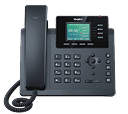
Yealink T34W Entry-Level IP Phone With Wi-Fi
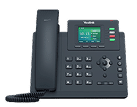
Yealink T33G Three-Line Gigabit SIP Phone
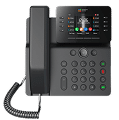
Unite V64 Gigabit Wi-Fi Color IP Phone
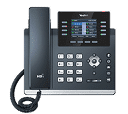
Yealink T44W Feature-Rich Wi-Fi Business Phone

Yealink T54W Executive Wi-Fi IP Phone
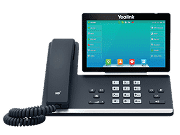
Yealink T57W Advanced Touchscreen Wi-Fi Phone
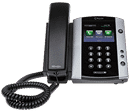
Polycom VVX 501 Performance Business Media Phone
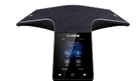
Yealink CP925 Touch-Sensitive HD Conference Phone
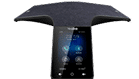
Yealink CP965 Flagship Android Conference Phone
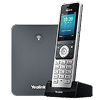
Yealink W70B High-Performance DECT IP Base Station
Powerful Tools to Keep Your Team Connected

Team Chat
Connect with teammates one-on-one or in groups. Set up channels to brainstorm, share updates, and collaborate seamlessly.

Video Conferencing*
Host HD video meetings with screen sharing to make every conversation more engaging and productive.
Calling
Make and take calls with ease, manage them on the go, and smoothly switch between desktop and mobile during your conversations.

File Sharing*
Securely share, access, and work together on documents from anywhere. (Available on desktop only.)

Presence
Know who’s available in real time — quickly see if colleagues are free for a chat, call, or meeting.

Contacts
Enjoy full Microsoft Outlook integration, letting you click-to-call or click-to-chat directly from your Outlook contacts.
* Not available with Unite Teams Embedded App
Intermedia Phone Systems - Used By Successful Brands